


Reloop Flux Go DVS interface—for Serato DJ Pro?
Explore the Reloop Flux Go DVS interface for Serato DJ Pro, a pocket-sized, bus-powered backup with two channels, low latency and plug-and-play setup.
The Reloop Flux Go DVS interface for Serato DJ Pro answers the growing demand for compact, travel-friendly DVS hardware. Mobile DJs and crate-diggers want a reliable, pocket-sized backup for gigs. Because flights, trains and tight booths limit gear, portability matters more than ever. Therefore, a true bus-powered, two-channel interface with phono/line switching can save a set.
Reloop packed dual stereo inputs, a headphone output and a dedicated ground terminal into small dimensions. Moreover, Flux Go supports low-latency Serato DVS performance over USB-C. As a result, it works for turntables and CDJs when DJs need a dependable backup. Read on to learn setup tips, compatibility notes and real-world testing with Serato DJ Pro.
Beyond portability, it delivers robust 24-bit studio sound and class-compliant macOS support. Also, Windows DJs can use ASIO drivers for stable performance and low jitter. Therefore the Flux Go aims to be the pocket-sized DVS interface many DJs have waited for.
Reloop Flux Go DVS interface for Serato DJ Pro — Features and specifications
Reloop’s Flux Go packs serious DVS features into a pocket-sized unit built for travel and backup use. As a compact USB-C interface, it targets DJs who need reliable Serato DVS performance on the road. It supports Serato DJ Pro and offers low latency for beatmatching and scratching. See full specs on Reloop’s product page: Reloop Flux Go Product Page.
Key specifications and features
- Dimensions 115 × 82 × 26 mm; weight 168 g
- Two-channel operation with dual stereo inputs and outputs
- USB-C bus-powered for audio and power; no external adapter required
- Dedicated ground terminal for turntables; phono/line DIP switches
- 24-bit/96 kHz converters; low-latency performance for Serato DVS
- Headphone output and studio sound card functionality for DAWs
- macOS class-compliant; Windows uses ASIO drivers
Because it is bus-powered and compact, Flux Go makes an ideal travel-friendly backup. Moreover, DJs can use it with turntables or CDJs for quick swaps at gigs. Compatibility with Serato DJ Pro means Plug and Play setup for many users. For hands-on reviews and testing context, read MusicTech’s hands-on report: MusicTech’s Hands-On Report. Additionally, its price sits around $299.99, making it an affordable pocket option.
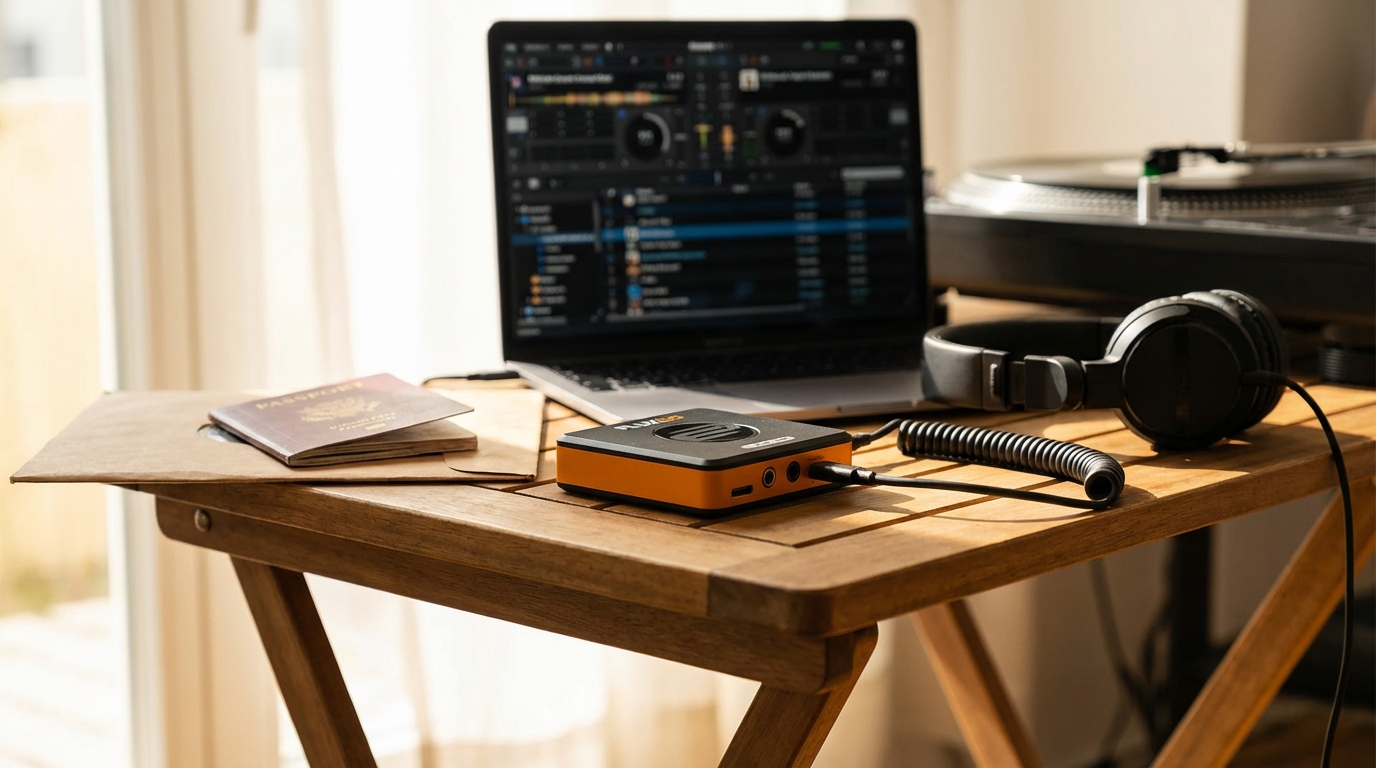
Setting up Serato DVS with Reloop Flux Go DVS interface for Serato DJ Pro
Follow these steps for a fast, reliable Serato DVS setup using the Flux Go. First, check that you have Serato DJ Pro and the DVS expansion activated. Next, gather your cables, turntables or CDJs, and a USB-C cable.
- Connect the Flux Go to your laptop using a high-quality USB-C cable. Because Flux Go is bus-powered, you do not need an adapter. For official specs and drivers, visit Reloop.
- Launch Serato DJ Pro and confirm the software detects Flux Go. If needed, select the Flux Go as your audio device in Setup > Audio. See Serato DJ Pro here.
- Attach turntables or CDJs to Flux Go inputs. Set the input to Phono for turntables and Line for CDJs. Also flip the phono/line DIP switches if required on the Flux Go.
- Connect the turntable ground wires to the Flux Go ground terminal. This prevents hum. Therefore ensure solid contact and hand-tighten the connector.
- Enable Vinyl/CDJ control in Serato’s Setup under Expansion Packs. Then load the control vinyl or CD on your players.
- Calibrate the DVS control signal. Play the control track and watch the DVS scope. Adjust input gain until the scope shows a clean circle. For extra tips and testing notes, read MusicTech’s hands-on review.
- Choose ABS or REL mode per your style. ABS follows the media position. REL ignores position for more flexibility.
- Test playback, cueing and scratching at low volume first. Then increase volume and check latency and tracking.
- If you use Windows, confirm ASIO drivers are current. For macOS, class-compliant drivers usually install automatically.
- Finally, pack the Flux Go as your compact backup. Because it is lightweight and bus-powered, it suits travel and tight booths.
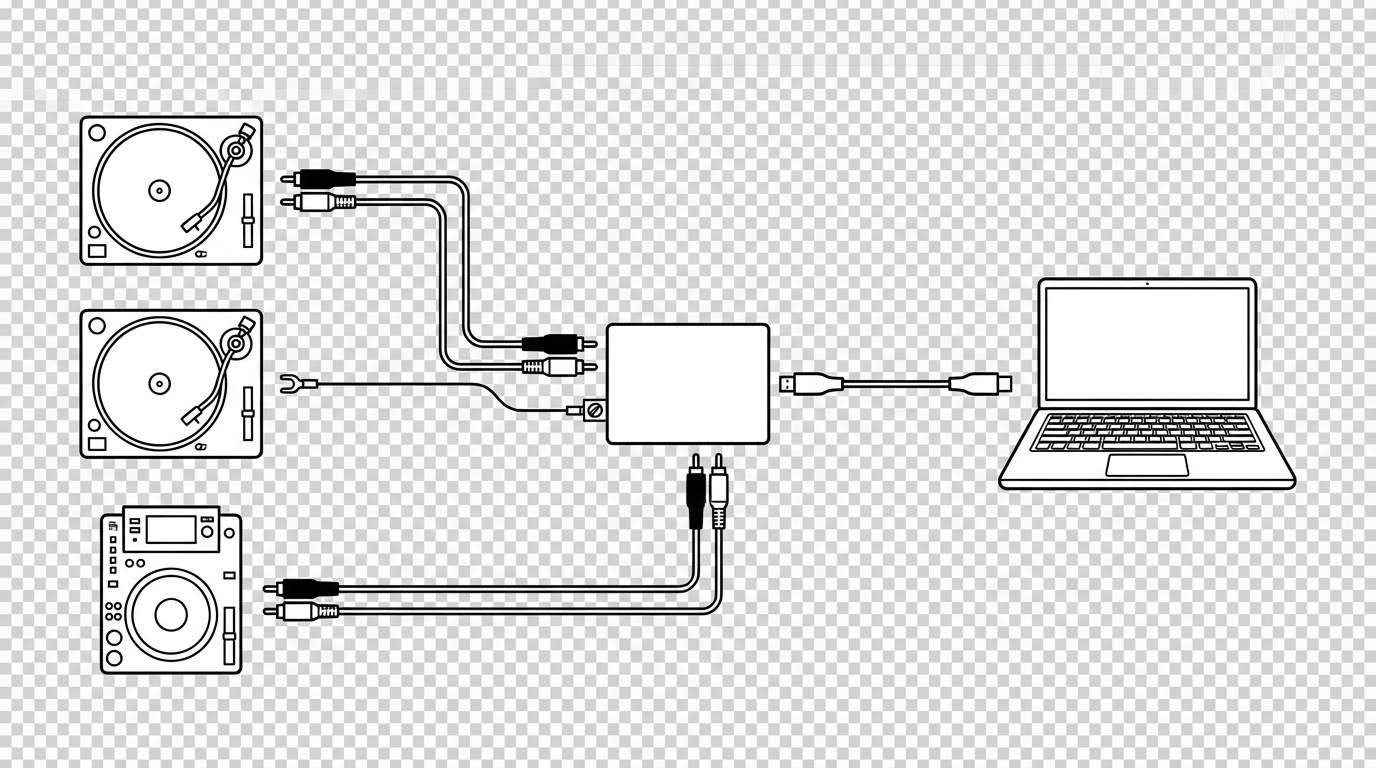
Reloop Flux Go DVS interface for Serato DJ Pro, best travel friendly DVS backup setups
Compact interfaces shine when space and weight matter. The Reloop Flux Go fits a reliable Serato DVS setup into a small bag. Because it is bus powered and weighs just 168 g, it beats bulkier sound cards for travel. Moreover, its two channel inputs cover most backup needs. As a result DJs get turntable and CDJ support without extra power bricks.
Use the Flux Go as the core of a road ready backup rig. Pair it with a light laptop and a pair of compact headshell cases. Also keep a control vinyl or a spare CD for quick DVS swaps. The Flux Go gives the same Serato DJ Pro workflow you already know. For official specs see Reloop. For hands on testing and real world notes see MusicTech and to check Serato compatibility see Serato.
Practical setup tips and complementary gear
- Use short USB C cables to reduce tangles and signal loss
- Bring spare RCA cables and a compact ground wire clamp for turntables
- Carry a small powered USB hub if you need extra ports, however test it first
- Pack a lightweight laptop stand and a noise canceling pair of headphones
- Keep control vinyl or CD backups in a protective sleeve
Pricing and availability
Reloop lists the Flux Go at around USD 299.99. It appeared in stores in February and online retailers carry stock now. Therefore it makes an affordable, pocket sized DVS backup for mobile DJs.
Conclusion: Reloop Flux Go DVS interface for Serato DJ Pro
The Reloop Flux Go DVS interface for Serato DJ Pro delivers the compact, travel-ready DVS solution many DJs need. Because it is bus-powered and lightweight, it fits tight bags and cramped booths. Also its dual stereo inputs, dedicated ground terminal and phono/line switching cover turntable and CDJ workflows.
Functionally, Flux Go provides low-latency Serato DVS performance and clean 24-bit audio. Therefore DJs can scratch, cue and beatmatch with confidence. Additionally it supports macOS class-compliant operation and Windows ASIO drivers for broad compatibility.
As a backup or primary travel rig, Flux Go balances portability, reliability and price. For this reason it stands out against bulkier interfaces on the road. In short, the Flux Go is a practical, affordable pocket-sized DVS interface for mobile DJs.
